
Tag Archives: JavaScript
Toggle Firefox 23 JavaScript Option

Firefox 23 was released earlier this week, and one thing some people will notice missing is the option to enable and disable JavaScript within the Options > Content menu. (“Load images automatically” was also removed.) Even though it’s gone from the user interface, it’s still there on the Firefox Configuration […]
Posted in: Web Browsers
Tagged: about:config, disable, enable, Firefox, JavaScript, load, update, web, web browser
Updating From xHTML To HTML 5

If you haven’t already, now is a great time to update your website code to HTML 5 web standards. Here are a handful of things you can do to really get the ball rolling. Table Of Contents Document Type Self-closing tags Language & Character Set Default MIME Types Attribute Minimization […]
Prevent WordPress SPAM Comments & Registrations With JavaScript

The battle against SPAM continues, so I have another hurdle you can implement to help prevent bots from submitting comments and registering accounts. Although this tip is aimed at WordPress, the basic idea can be applied to any application. What we’re going to do is encase (or hide) the submit […]
Web Development Cheat Sheet Compilation
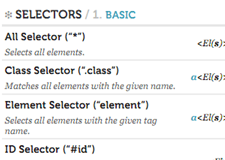
Cheat sheets are great reference guides for quick and direct information and they come in a plethora of topics. They make great desktop wallpapers and printouts, too. Here is a compilation of cheat sheets on various web development languages, Internet systems, and more. Anatomy Of A URL Google Advanced Search […]
Posted in: Web Development
Tagged: code, CSS, HTML, JavaScript, syntax, wallpaper, web, web development, WordPress
Permanently Disable Google Instant

Google Instant is a feature added to the Google search engine on September 8, 2010 which produces search results as you type your query. It is supposed to save you time because it anticipates your query. Here’s what the Google Instant page has to say: Our key technical insight was […]
Posted in: Web Browsers
Tagged: Adblock Plus, add-on, Chrome, cookies, Firefox, Google, Instant, JavaScript, search, search engine, web
Loading Your Site With Google Adsense Quicker

You decided to add some Google Adsense to your website for a little ad revenue, but your web page loads much slower now. That’s because the browser is trying to call an external script (Google’s) and their Adsense servers seem to always run slow. Google wants you to put the […]
Posted in: Web Development
Tagged: Adsense, code, CSS, Google, HTML, JavaScript, load, quicker, speed, syntax, web, web development, WordPress