
Tag Archives: HTML
Disable Automatic Paragraphs & Line-breaks In WordPress Posts

I’ve mentioned previously that I prefer handwriting code instead of having it done automatically. When I code manually, I get the functionality and presentation exactly the way I want. One such feature in WordPress (I’ve disabled so many) counters my preference by doing something automatically. What I’m referring to is […]
Posted in: Web Development
Tagged: application, code, disable, HTML, PHP, syntax, web, web development, WordPress
Updating From xHTML To HTML 5
If you haven’t already, now is a great time to update your website code to HTML 5 web standards. Here are a handful of things you can do to really get the ball rolling. Table Of Contents Document Type Self-closing tags Language & Character Set Default MIME Types Attribute Minimization […]
Introduction To PHP Include & Require
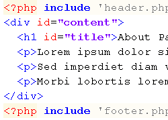
The PHP Include function is used to pull different pages together into one. For example, a default header, menu, and footer can be included on multiple content pages. When you want to update the menu, you only need to update a single file. Then the changes are reflected on all […]
Posted in: Web Development
Tagged: code, CSS, HTML, lorem ipsum, Notepad++, PHP, sample text, syntax, text editor, web, web development
Prevent WordPress SPAM Comments & Registrations With JavaScript
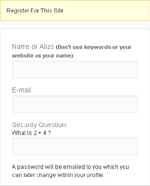
The battle against SPAM continues, so I have another hurdle you can implement to help prevent bots from submitting comments and registering accounts. Although this tip is aimed at WordPress, the basic idea can be applied to any application. What we’re going to do is encase (or hide) the submit […]
RSS Links In Archive-type Pages
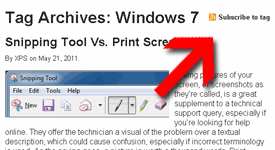
A while back, I adjusted the Feeds List page with basic directions on how to find the RSS feed of a specific category, tag, or author. That would allow readers to subscribe to a specific listing of their choice rather than the whole site feed. While doing that, I had […]
Posted in: Web Development
Tagged: code, HTML, PHP, RSS feed, syntax, web, web development, WordPress
Hide WordPress Version From Dashboard Footer
Hiding your WordPress installation version is a good idea. Knowing what version you’re running, a malicious person could take advantage of the vulnerabilities identified within that version and potentially corrupt, delete, or even control your WordPress installation and all your web host files. Why some theme developers decide to advertise […]