
Author Archives: Xps
Make Windows 7 Start Menu Function Like Windows XP
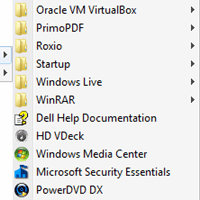
The All Programs menu of the Start Menu in Windows XP opens folders across the screen in a way that makes it easy to see everything and open the program shortcut you’re looking for. It also organizes items in the list alphabetically starting with important Windows shortcuts like Windows Update, […]
Use Checkmarks To Select Multiple Files & Folders
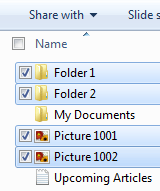
If you wanted to select a number of files or folders from within Windows Explorer, you can hold the Shift key and select them all. This makes mass moving or deleting easy. If you’re interested in another way to mass select files and folders in Windows 7, you may consider […]
Open Firefox Web Search Results In New Tab

Having a search box with quick access to your favorite search engine is standard among web browsers. Firefox, Internet Explorer, and Opera all have a dedicated box to the right of the Address Bar. Google’s Chrome performs such searches from within the Address Bar itself. Before they became standard, this […]
Fixing “No Audio Device” Error
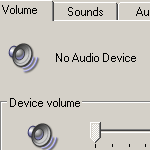
Have you ever wanted to listen to some music or watch a video on your computer but found that your sound isn’t working? You try to open the Volume Control slider in the notification area but get this error: There are no active mixer devices available. To install mixer devices, […]
Open Firefox’s Page Source In Your Editor
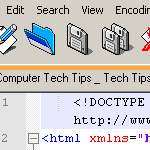
As a web developer, I’m constantly viewing the source code of websites, mine and yours. I look to fix bugs, improve efficiency, and learn new or interesting techniques. The Page Source viewer in Firefox is right there in the View menu or the shortcut Ctrl+U. I guess I could say […]
Disable WordPress Drafts & Revisions

Today’s computer tech tip involves disabling two features in WordPress: Automatic Drafts & Revisions. They’re intended to be helpful, but they’re not for everyone. I would prefer to see these as options to enable/disable within the Admin Dashboard, but hard-coding the changes will suffice for now. I may have mentioned […]