
WordPress Update Error: Maximum Execution Time
WordPress 3.1 was released only a couple days ago, and millions of people who use this awesome software are updating their systems. Some of these people who use the automatic update tool may get the following error message:
Fatal error: Maximum execution time of 30 seconds exceeded in http://www.mysite.com/wp-includes/class-http.php on line 1060
You’re not alone. I seem to get this same error for each update, especially on my local development site. The great news is there is a really easy solution to this problem. Open up your wp-config.php file and add in the following line:
set_time_limit(0);
You can put it anywhere in the file, even right after the opening comment block, like so:
<?php
/**
  * The base configurations of the WordPress.
  *
  * This file has the following configurations: MySQL settings, Table Prefix,
  * Secret Keys, WordPress Language, and ABSPATH. You can find more information by
  * visiting {@link http://codex.wordpress.org/Editing_wp-config.php Editing
  * wp-config.php} Codex page. You can get the MySQL settings from your web host.
  *
  * This file is used by the wp-config.php creation script during the
  * installation. You don't have to use the web site, you can just copy this file
  * to "wp-config.php" and fill in the values.
  *
  * @package WordPress
  */

/**
  * Avoid "Maximum execution time" errors when updating
  * https://www.computertechtips.net/56/wordpress-update-error-maximum-execution-time/
  */
set_time_limit(0);

// ** MySQL settings...
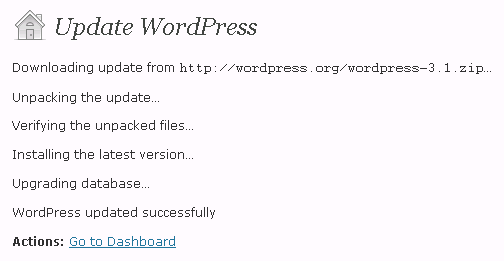
After making the adjustment, retry the automatic update and you’ll be unpacking, verifying, installing, and upgrading in no time.

Comments are automatically closed after a period of time to prevent SPAM.